
Every customer problem gets an owner — and an ending.
A refund, a wrong size, a parcel that has not moved. Turn the WhatsApp chat into a ticket, see who is handling it and when it is due, and know how the customer felt when it closed.
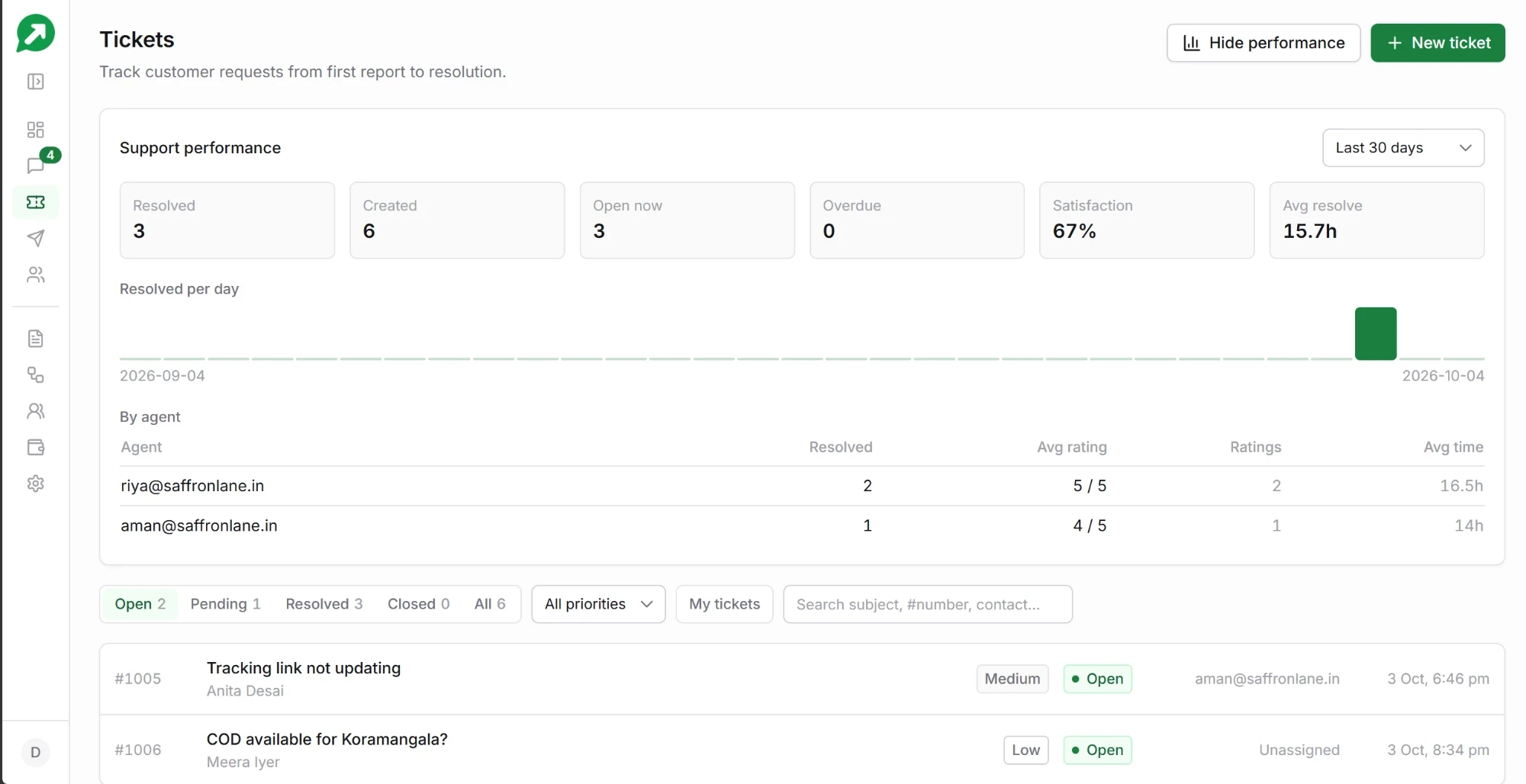
Product preview with example data
Everything needed to finish the job
A chat tells you what was said. A ticket tells you what still has to happen, and who is doing it.
An owner
Assign it to a teammate, or let it go to whoever replies first. “My tickets” shows each person only their own.
A priority and a due time
Low, medium, high or urgent. Each sets a due-by time you can change, and anything late is counted as overdue.
A status
Open, pending, resolved or closed. Filter the list by any of them, or search by subject, ticket number or customer.
The conversation, one click away
Every ticket links back to the customer’s WhatsApp chat, and the chat shows its open ticket at the top.
Internal notes
Leave notes for the next person — what was promised, what the courier said. Only your team sees them.
Tags
Label tickets as refund, exchange or delivery, so you can see which kind of problem keeps coming back.
Know how support is going, without asking anyone
One panel answers the questions an owner actually has: are we keeping up, are customers happy, and who is carrying the load.
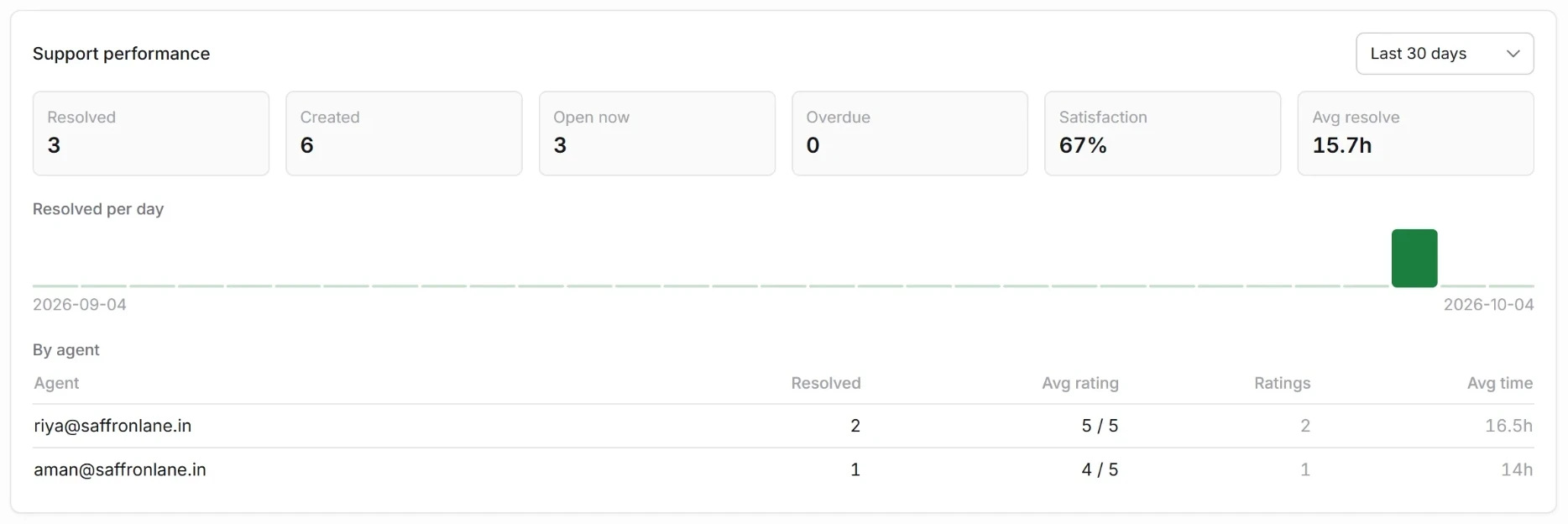
- Created, resolved, open now and overdue for the last 10 or 30 days.
- Satisfaction and average time to resolve, worked out from real tickets and real ratings.
- By agent: tickets resolved, average rating and average time for each teammate.
- Resolved per day, so a bad week shows up while you can still fix it.
Ask how it went, in the same chat
When a ticket closes, the customer is asked to rate the help they got — on WhatsApp, where they already are, not in an email survey nobody opens.
- A 1 to 5 rating from the customer’s own reply.
- Credited to the agent who handled it, even if the ticket is reassigned later.
- Your own wording for the rating message, set once in Settings.
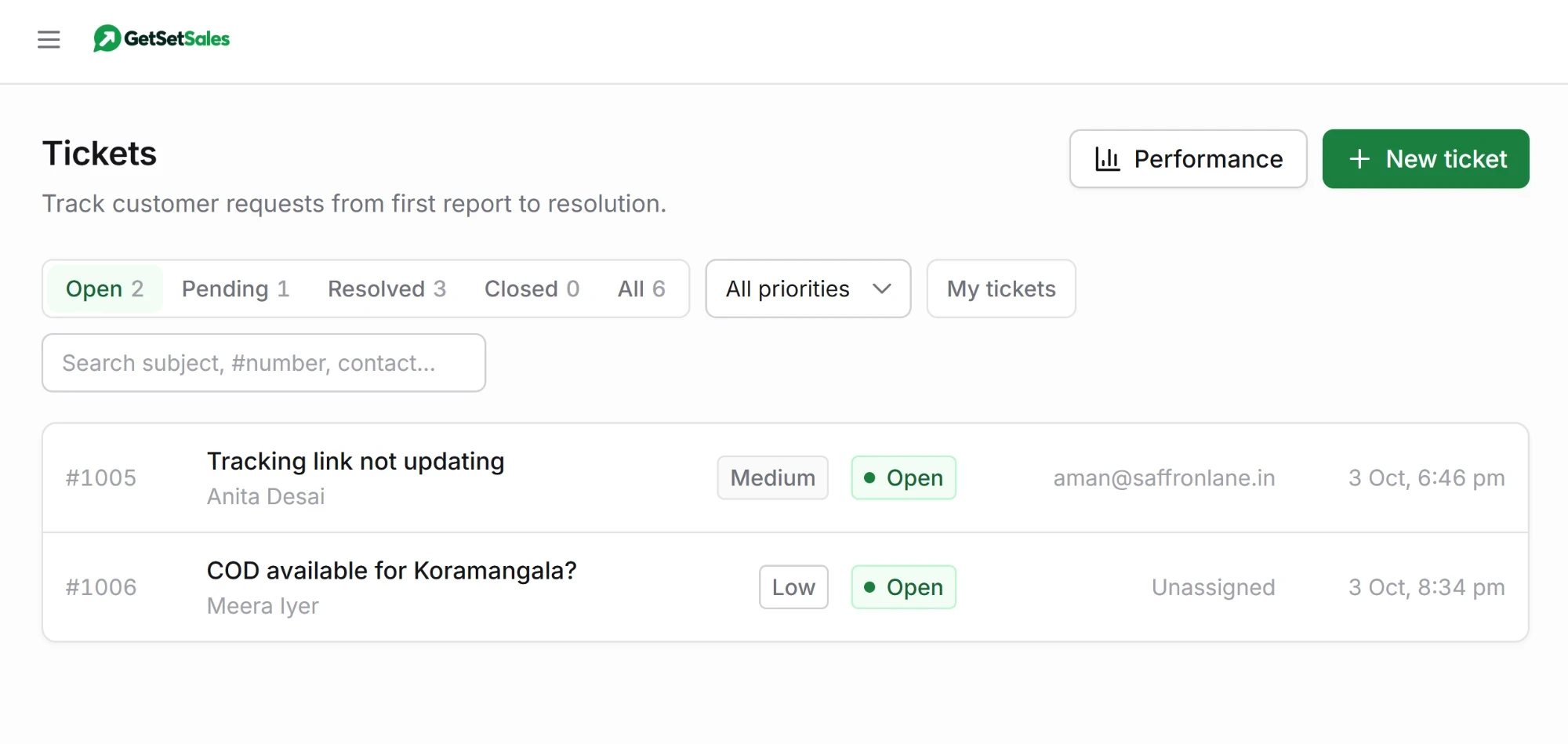
Opened for you, or by you
From a chat
A ticket can open automatically when a customer writes in, so nothing depends on someone remembering.
From an automation
When an automation hands a customer to a person, the handover arrives as a ticket.
By your team
Press New ticket for a problem that came in by phone or in the shop.
From your own system
Create tickets through the API when an order fails or a payment bounces.
Questions about tickets
Do tickets cost extra?
No. Ticketing is part of every account. Individual replies carry no GetSetSales fee; a conversation a customer starts is ₹0.15 once per 24 hours, whether a person or an automation answers it. The rating request is a normal reply, so it costs nothing extra. See pricing.
How do I turn tickets on?
In Settings, switch on the ticket system. If you run several WhatsApp numbers you can choose which of them use tickets.
Can I close a ticket without leaving the chat?
Yes. The open ticket, its assignee and a Close ticket button sit at the top of the conversation in the shared inbox.
What if the customer does not rate?
Nothing happens. The ticket still closes, and it simply is not counted in the satisfaction figure. The rating request goes out only while WhatsApp’s 24-hour reply window is open, so a ticket closed days later is not asked.