
Every WhatsApp reply, in one inbox your whole team shares.
Stop passing one phone around the shop. Everyone answers from the same number, on their own screen, and everyone can see what has already been said.
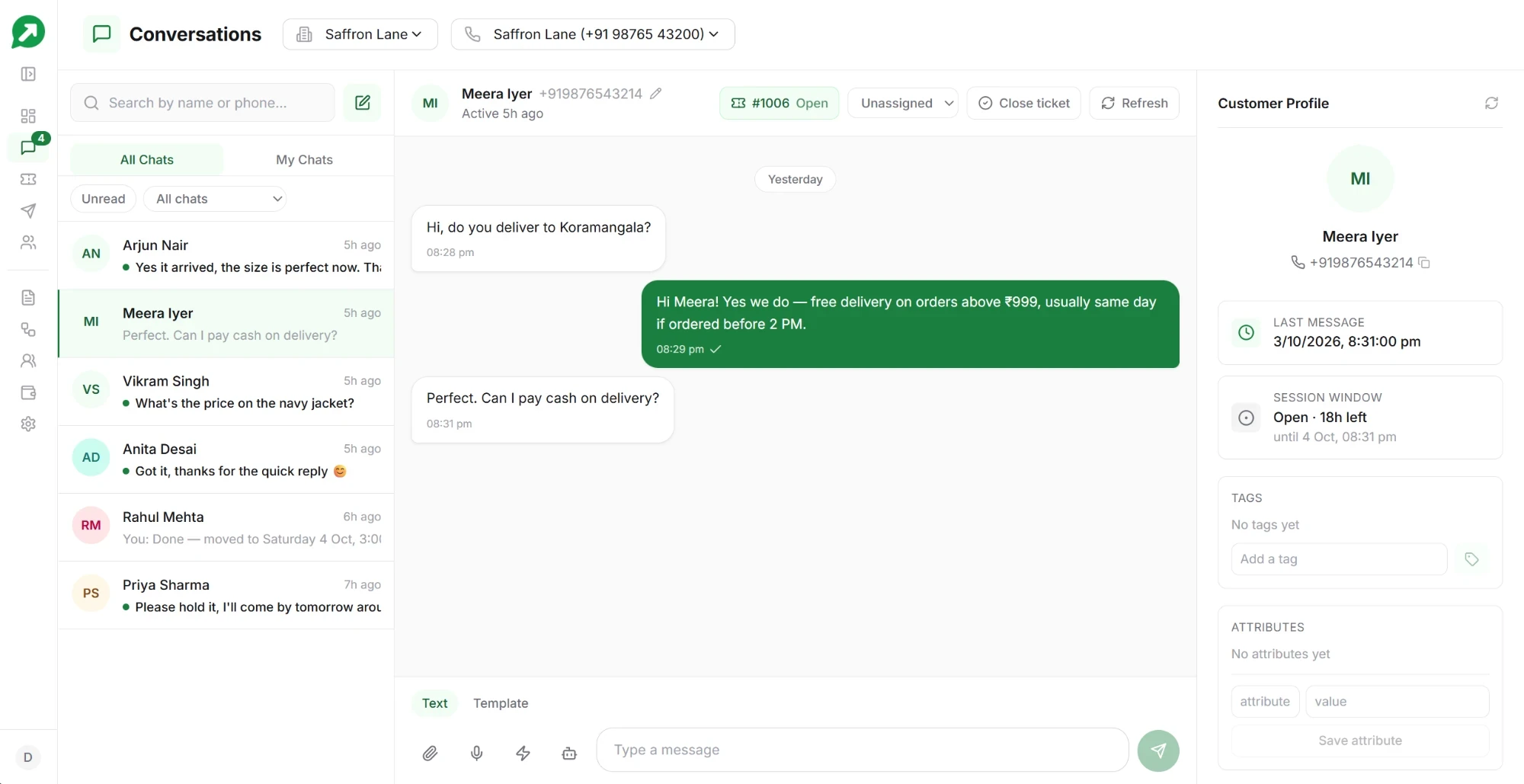
Reply the way you would on your phone
Everything a customer can send you on WhatsApp, you can read and answer here.
Voice notes, photos, documents
Receive and send them all. A customer’s photo of a damaged parcel shows up right in the chat.
Quoted replies
Answer one specific message in a long chat, so the customer knows exactly what you are responding to.
Saved quick replies
Store the answers you type ten times a day — store timings, return policy, payment details — and send them in a tap.
See who is still waiting for an answer
A busy number collects hundreds of chats. These show you the ones that need someone now.
Unread, everywhere
The number beside Inbox counts every chat where the customer wrote last and nobody has opened it. The Unread filter lists exactly those chats, however far down the list they are.
My Chats
Each teammate can narrow the list to the chats they have replied in, so they pick up their own conversations first.
Filter by tag or ticket
Show only one tag, such as hot lead, or only chats an automation handed to a person, chats with an open ticket, or chats without one.
Talk to your team inside the chat
Everything a teammate needs to pick up a customer is in the conversation itself.
Notes and @mentions
Leave a note in the chat for your team; customers never see it. Type @ and a name to bring a teammate in, and they find it under Mentions.
Sales pipeline
Mark where each lead is: New, Interested, Qualified, Proposal sent, Won or Lost. Filter the inbox by stage, and send a campaign or start a drip for one stage.
Payment requests
Send an order the customer pays inside WhatsApp, into your own payment gateway, after a one-time setup with Meta. How it works.
Nothing slips through
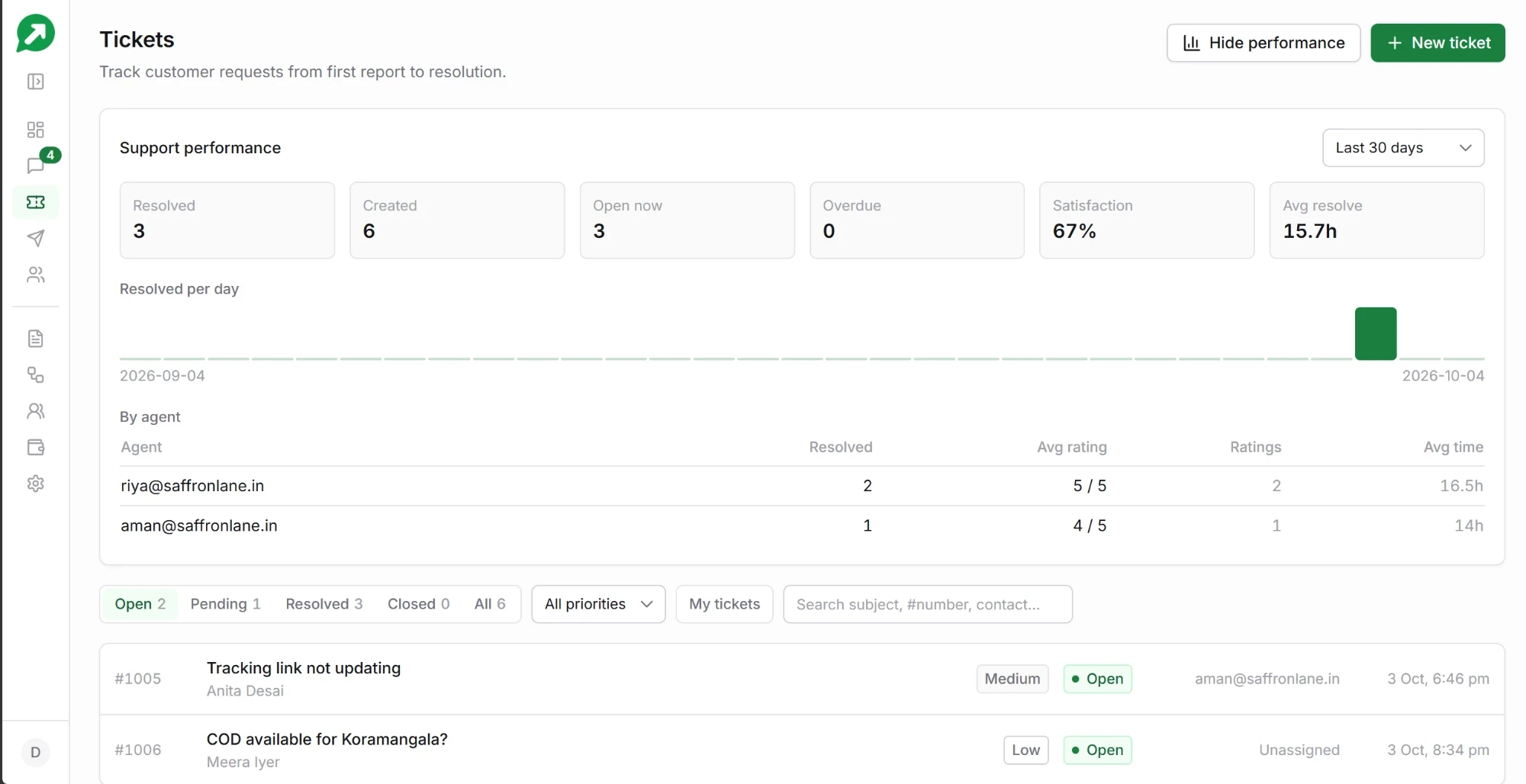
When a conversation needs following up, it becomes a ticket — with an owner, a status, and a record of how it ended.
- A clear flag for chats that need a person, so an automation’s handover is never missed.
- Tickets open automatically and assign to whoever replies first.
- Customers rate the support when a ticket closes, in the same WhatsApp chat.
- Per-agent performance, so you can see who is answering and how well.
Three people included, more when you need them
Every account includes three team members, counting the owner. Each extra person is ₹199 for 30 days, bought when you need them and never renewed by itself.
- Owner, admin and agent roles, so the people answering chats cannot change billing.
- Works in any browser. Nothing to install and no extra app.
- Private to your business. Only the teammates you invite can see your contacts and conversations.
Billing, the team and the connected number — plus everything an admin can do.
Campaigns, contacts, templates and automations, and the inbox. Cannot spend money or change who has access.
The inbox: reads and answers customer chats, and works tickets.
How replying on WhatsApp works
What is the 24-hour window?
When a customer messages you, WhatsApp lets you reply in your own words for the next 24 hours. Each new message from them restarts the clock. Once it runs out, you need an approved template to write to them again.
What does replying cost?
Messages a customer sends you are free. Individual replies carry no fee from us. A conversation a customer starts is ₹0.15 once per 24 hours, whether your team or an automation answers it, however many messages it takes. See full pricing.
Can customers also call us?
Yes, with the calling add-on. Customers call your WhatsApp number and your team answers in the browser. See WhatsApp calling.