
Message your whole customer list — and see exactly who replied.
Festive offers, payment reminders, order updates, appointment confirmations. Send one message to thousands of customers on WhatsApp, where they actually read it.
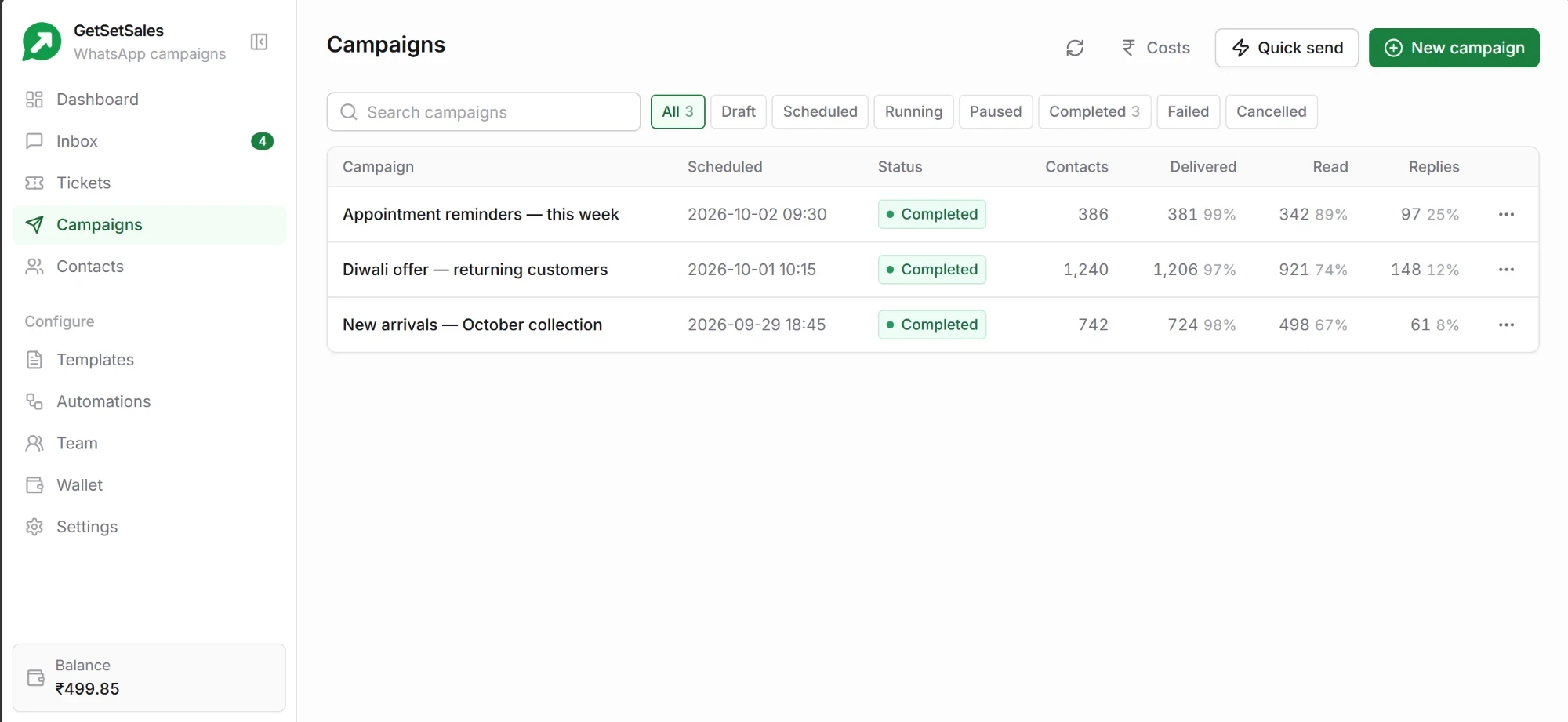
From a spreadsheet to sent, without a developer
If you can attach a file to an email, you can run a campaign.
- Upload a CSV or pick a segment. Use a list you already have, or target contacts by tag.
- Fill in the blanks. Match each column — name, order number, amount due — to the gaps in your template.
- Preview it. See the message exactly as a customer will, before anything is sent.
- Send now or schedule. Pick a date and time and leave it to run.
Know what happened to every message
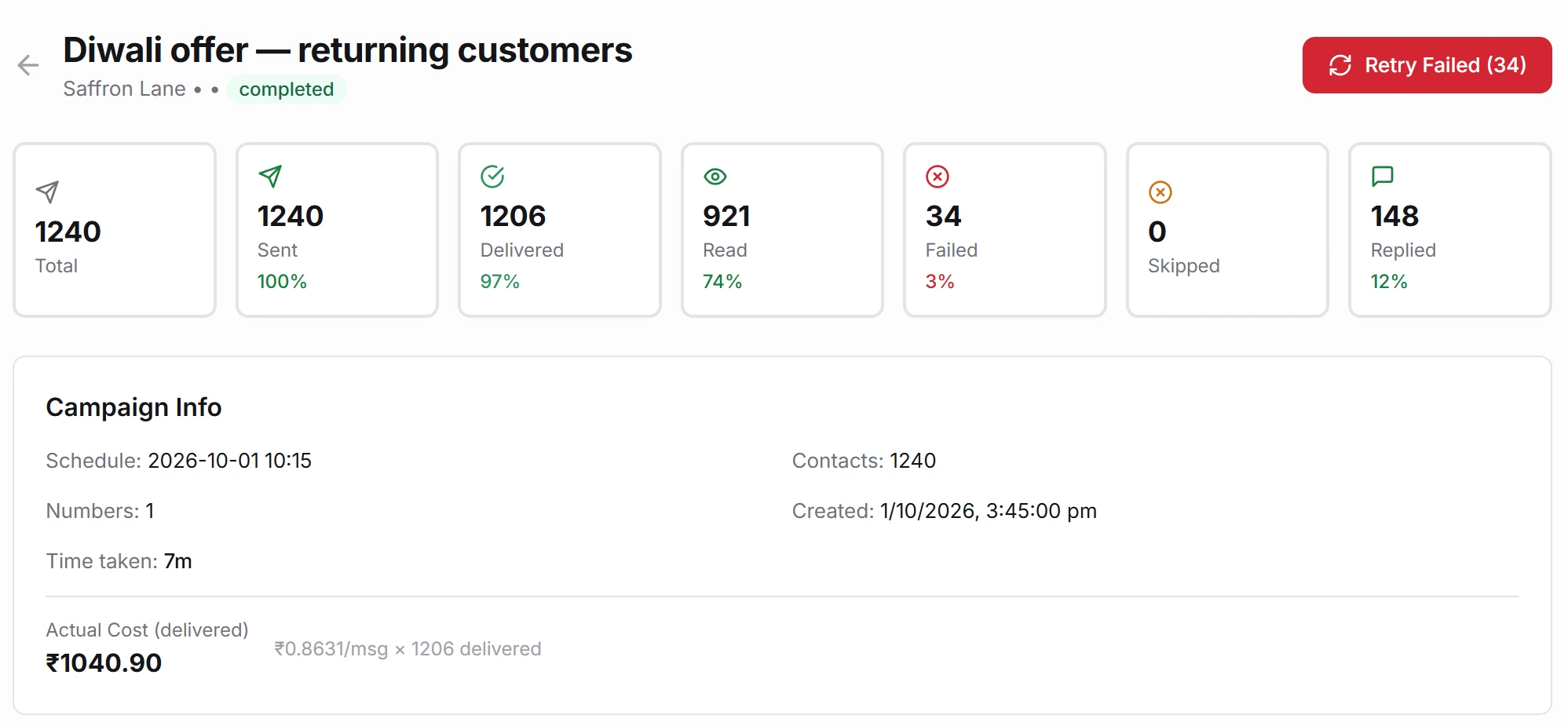
A campaign is only useful if you can see what it did.
Delivered, read, replied
Live counts for the whole campaign, and the status of each individual customer underneath them.
Replies land in your inbox
When a customer answers a campaign, the chat opens in the shared inbox for your team — or an automation picks it up.
Failures explained, and retried
See why a message did not go through, grouped by reason, and retry the ones that can still be delivered.
Opt-outs enforced for you
A customer who asks you to stop is excluded from every future campaign automatically. WhatsApp requires it; you never have to remember it.
Paced to protect your number
Large sends are paced rather than fired all at once, which keeps your WhatsApp quality rating healthy.
Results you can take with you
Download a campaign’s results as a spreadsheet, or schedule campaigns from your own system through the API.
Show ten products in one message
Customers swipe through cards, each with its own photo, text and buttons: courses, products, properties or plans.
- 2 to 10 cards, built in the template editor and sent like any campaign.
- Know which card they tapped — your automation gets the card’s number, text and price, and answers about that one.
- Marketing templates only — Meta’s rule. Each send is Meta’s marketing charge plus our ₹0.15, and each carousel needs Meta’s approval.
Book a demo
How WhatsApp campaigns work
What is a template, and why do I need one?
WhatsApp only lets a business start a conversation with a message Meta has approved in advance — a template. You write it once inside GetSetSales, Meta reviews it, and you can then send it to any number of customers with their own details filled in.
What does a campaign cost?
Our fee is ₹0.15 for each message delivered. WhatsApp’s own charge is billed to you separately by Meta, at its published rate, with no markup from us. A message that fails to deliver is not charged. Work out a month’s cost.
How many customers can I message in a day?
Meta controls messaging limits and business verification. Check the current limit in your WhatsApp Manager and complete any checks Meta requests before planning a larger campaign.